192.168.1.254 AT&T Gateway Login
192.168.1.254 is the default gateway for AT&T Fiber and U-verse gateways. Unlike other routers, AT&T uses a Device Access Code (found on the gateway label) instead of username/password.
Access your AT&T gateway:
http://192.168.1.254
Login: Device Access Code (10-digit code on gateway label)
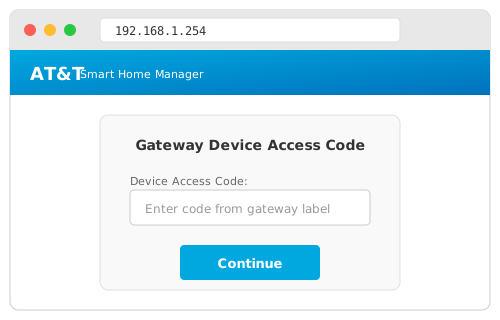
How to Login
- Find Device Access Code on gateway label (side or bottom)
- Go to
192.168.1.254in your browser - Enter the 10-digit code
- Click Login
Easier Option: Use the AT&T Smart Home Manager app — no access code needed.
What You Can Change
- Wi-Fi Password — Home Network → Wi-Fi
- Network Name — Change SSID
- Parental Controls — Block content
- Port Forwarding — NAT/Gaming
- Connected Devices — View all devices
Not Working?
| Problem | Solution |
|---|---|
| Can't find code | Use AT&T Smart Home Manager app |
| Code rejected | Check exact characters (case-sensitive) |
| Page won't load | Connect to AT&T Wi-Fi, not cellular |