ASUS Router Login
ASUS routers use router.asus.com or 192.168.1.1 for admin access. The ASUSWRT interface gives you control over AiMesh, gaming boost, AiProtection security, and parental controls. Default username and password: admin/admin.
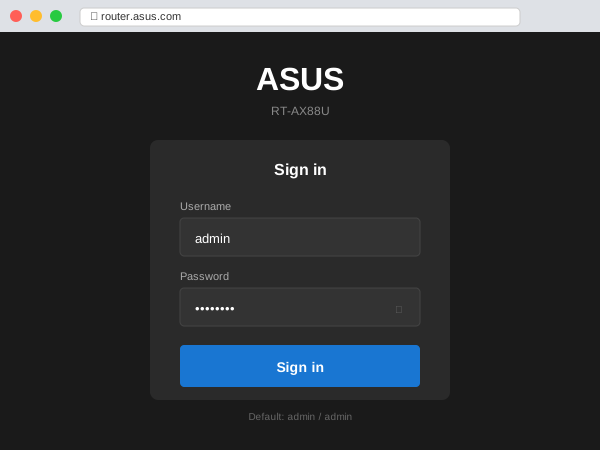
ASUS Login Details
| Setting | Value |
|---|---|
| URL | router.asus.com |
| IP Address | 192.168.1.1 (AiMesh node: 192.168.1.2+) |
| Username | admin |
| Password | admin (or custom if set) |
ASUSWRT Features
ASUS routers run ASUSWRT firmware with advanced features:
- AiMesh — Create mesh network with multiple ASUS routers
- AiProtection — Built-in Trend Micro security (free)
- Adaptive QoS — Prioritize gaming and streaming traffic
- Game Boost — WTFast optimization for online gaming
- AiCloud — Remote access to USB storage
- VPN Server — Built-in OpenVPN and PPTP server
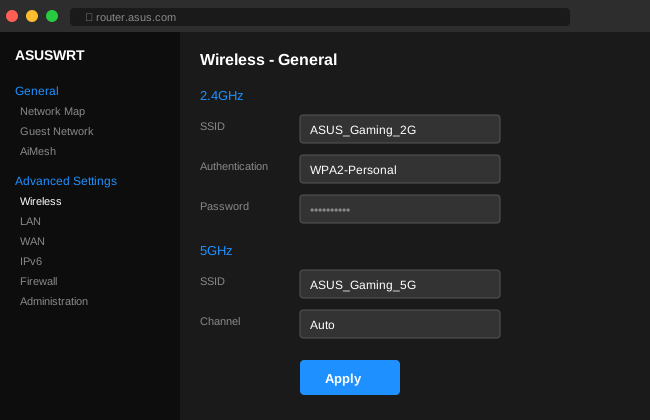
Change WiFi Settings
- Login to router.asus.com
- Go to Wireless in left menu
- Change SSID (network name)
- Set WPA Pre-Shared Key (password)
- Click Apply
ASUS Router App
The ASUS Router app offers full control from your phone:
- Setup wizard for new routers
- Real-time traffic monitoring
- Parental controls by device
- AiMesh node management
- Security scan
Troubleshooting
| Issue | Solution |
|---|---|
| router.asus.com not working | Use IP 192.168.1.1 directly |
| Forgot password | Hold Reset 5-10 seconds for factory reset |
| AiMesh node login | Access via main router or use node's IP |
Popular ASUS Models
| Series | Models | WiFi |
|---|---|---|
| ROG Rapture | GT-AX11000, GT-AXE16000 | WiFi 6/6E Gaming |
| ZenWiFi | AX, XT8, ET8 | Mesh WiFi 6/6E |
| RT-AX | RT-AX86U, RT-AX88U | WiFi 6 |