Linksys Router Login
Linksys Smart WiFi lets you manage your router from anywhere. Access settings at myrouter.local or 192.168.1.1 locally, or use linksyssmartwifi.com with your Linksys account. Default password is admin (no username needed).
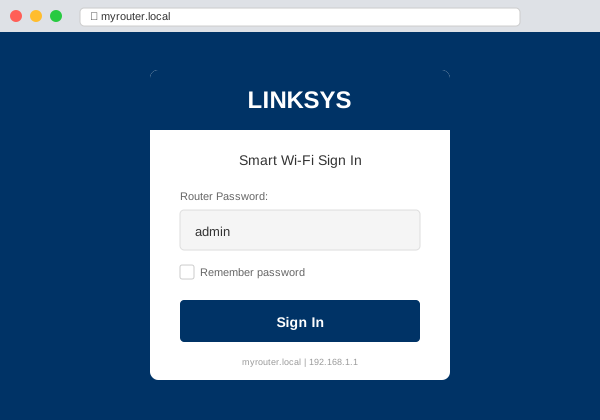
Linksys Login Options
| Method | URL | When to Use |
|---|---|---|
| Local Access | myrouter.local | Connected to router's WiFi |
| IP Address | 192.168.1.1 | If myrouter.local fails |
| Cloud Access | linksyssmartwifi.com | From anywhere (needs account) |
Default Credentials
| Setting | Value |
|---|---|
| Username | Leave blank (none required) |
| Password | admin |
Smart WiFi Routers: Newer Linksys routers require a Linksys account during setup. You'll login with your email/password instead of admin.
Local vs Cloud Login
Local (myrouter.local):
- Must be connected to router's WiFi
- Full access to all settings
- Works without internet connection
Cloud (linksyssmartwifi.com):
- Access from anywhere with internet
- Requires Linksys account
- Some advanced settings unavailable
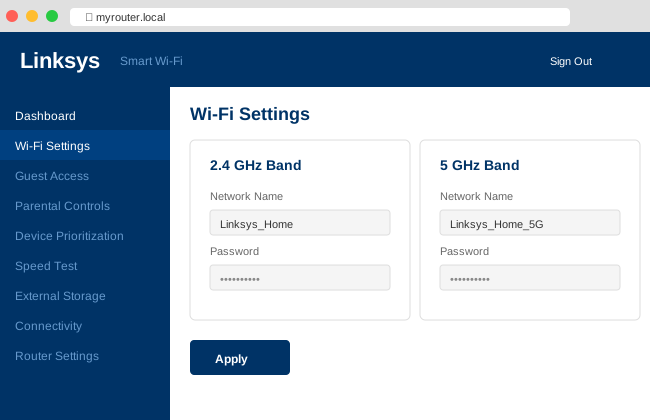
Change WiFi Password
- Login to myrouter.local
- Go to WiFi Settings
- Edit WiFi Password field
- Click Apply
- Reconnect devices with new password
Linksys Velop Mesh
Velop mesh systems are managed through the Linksys app:
- Setup requires the mobile app
- Web access available after setup at myrouter.local
- App recommended for adding/managing nodes
Troubleshooting
| Issue | Solution |
|---|---|
| myrouter.local not working | Use 192.168.1.1 instead |
| "admin" rejected | Password changed — use Linksys account or reset |
| Factory reset | Hold Reset button 10-15 seconds |