NETGEAR Nighthawk Login
NETGEAR Nighthawk routers deliver high-performance WiFi 6/6E for gaming and streaming. Access the admin panel at routerlogin.net or 192.168.1.1 with username admin and password password to enable QoS, DFS channels, and more.
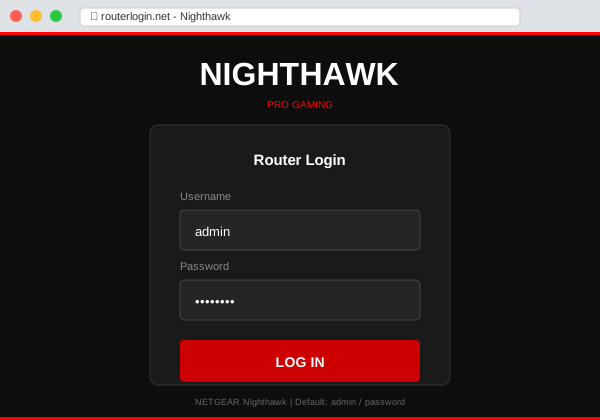
Nighthawk Login Credentials
| Setting | Value |
|---|---|
| URL | routerlogin.net |
| IP Address | 192.168.1.1 |
| Username | admin |
| Password | password |
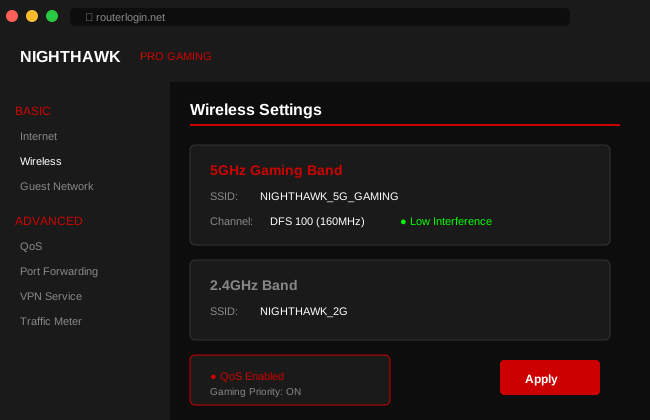
Nighthawk Gaming Features
Nighthawk routers include gaming-specific features:
- QoS (Quality of Service) — Prioritize gaming traffic over downloads
- DFS Channels — Less congested 5GHz channels
- Geo Filter — Connect to closest game servers (Pro models)
- Traffic Meter — Monitor bandwidth usage
- VPN Support — OpenVPN client built-in
Enable Gaming QoS
- Login to routerlogin.net
- Go to QoS in the menu
- Enable Dynamic QoS
- Set your internet speed (download/upload)
- Gaming and video get automatic priority
Nighthawk App
The Nighthawk app provides mobile management:
- Quick setup for new routers
- Speed test built-in
- Pause internet for devices
- Traffic monitoring
- Remote access when away from home
Nighthawk Models
| Model | WiFi | Best For |
|---|---|---|
| RAXE500 | WiFi 6E (AXE11000) | Ultimate gaming |
| RAX200 | WiFi 6 (AX11000) | Large homes, heavy use |
| RAX80 | WiFi 6 (AX6000) | Gaming, 4K streaming |
| RAX50 | WiFi 6 (AX5400) | Standard gaming |
Troubleshooting
| Issue | Solution |
|---|---|
| High ping in games | Enable QoS, use 5GHz band, ethernet if possible |
| routerlogin.net not working | Use 192.168.1.1 directly |
| Forgot password | Hold Reset 10 seconds for factory reset |