WAMP Server — Windows Localhost Development
WAMP (Windows, Apache, MySQL, PHP) is a popular local development environment for Windows. Like XAMPP, WAMP lets you run PHP websites and applications on your computer without an internet server. Access your local sites at localhost and manage databases through phpMyAdmin.
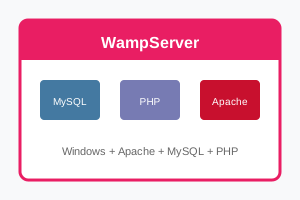
What is WAMP?
| Component | Description |
|---|
| W - Windows | Operating system |
| A - Apache | Web server (serves pages) |
| M - MySQL/MariaDB | Database server |
| P - PHP | Server-side scripting language |
How to Install WAMP
- Download WampServer — From wampserver.com
- Choose version — 64-bit for modern Windows
- Run installer — Accept defaults or customize
- Install Visual C++ — Installer prompts if needed
- Launch WampServer — Icon appears in system tray
- Wait for green icon — Services are running
- Visit localhost — See WAMP homepage
WAMP Tray Icon Colors
| Color | Status |
|---|
| 🟢 Green | All services running (ready to use) |
| 🟠 Orange | Some services running (partial) |
| 🔴 Red | Services stopped (not working) |
WAMP Directory Structure
| Path | Purpose |
|---|
C:\wamp64\www\ | Document root (put your sites here) |
C:\wamp64\bin\apache\ | Apache installation |
C:\wamp64\bin\mysql\ | MySQL installation |
C:\wamp64\bin\php\ | PHP installation |
C:\wamp64\logs\ | Error and access logs |
Create Your First Site
- Navigate to
C:\wamp64\www\
- Create new folder:
mysite
- Create file:
index.php
- Add code:
<?php echo "Hello World!"; ?>
- Visit:
http://localhost/mysite
Access phpMyAdmin
Manage MySQL databases at:
- URL:
http://localhost/phpmyadmin
- Username:
root
- Password: (blank by default)
WAMP vs XAMPP
| Feature | WAMP | XAMPP |
|---|
| Platform | Windows only | Windows, Mac, Linux |
| Interface | System tray menu | Control panel app |
| PHP Versions | Easy switching | One at a time |
| Popularity | Popular on Windows | More widely used |
Common Issues
| Problem | Solution |
|---|
| Orange icon | Port 80 conflict — check Skype, IIS |
| MSVCR missing | Install Visual C++ Redistributable |
| localhost not working | Check Windows Firewall, hosts file |
| MySQL won't start | Port 3306 conflict or service issue |